If you sat for a National Examinations Council (NECO) examination and want to check your result online, you can do so through the official NECO Results Portal.
The process is straightforward, but you need the correct examination year, examination type, NECO token and registration number before you can check your result.
In this guide, we explain how to check NECO result 2026 online, where to find the official NECO result checker portal, how to purchase a result-checking token and what to do if you experience problems while checking your result.
NECO Result Checker Portal 2026
The official NECO result-checking portal is:
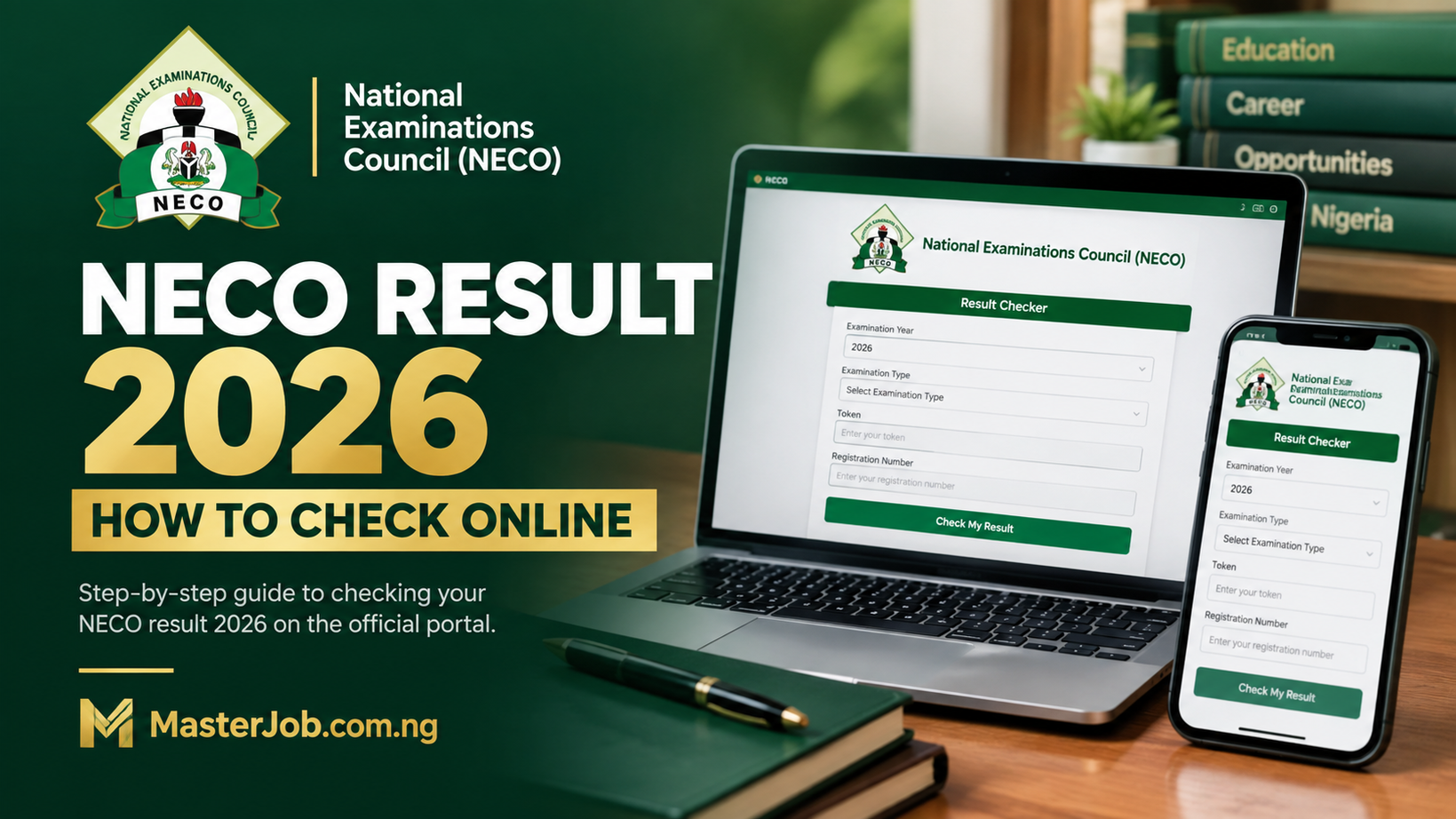
The portal allows candidates to select their examination year and examination type, enter their token and registration number, and submit the details to view their result. It also provides an option for candidates who do not yet have a token to purchase one.
Important: Be careful when searching for the NECO result portal online. Avoid entering your registration number, token or other personal information on unofficial websites claiming to be the NECO result checker.
What You Need to Check Your NECO Result
Before starting the process, have the following information ready:
- Your NECO registration number
- Your NECO result-checking token
- The examination year
- Your examination type
- A smartphone, tablet or computer
- An active internet connection
Having these details ready can make the process much faster.
How to Check NECO Result 2026 Online
Follow the steps below to check your NECO result.
Step 1: Visit the Official NECO Result Portal
Open your browser and visit the official NECO Results Portal: results.neco.gov.ng
You do not need to download a separate application to access the result-checking page.
Step 2: Select Your Examination Year
On the NECO result-checking page, select the year of the examination you want to check.
If you are checking a 2026 examination, select “2026” where that examination year is available on the portal.
Step 3: Select Your Examination Type
Choose the examination type that applies to you.
Make sure you select the correct examination because selecting the wrong examination type can prevent your result from being retrieved.
Step 4: Enter Your NECO Token
Enter your result-checking token in the token field.
The official NECO portal currently displays a token field and also provides a Purchase Token option for candidates who do not have one.
Check the token carefully before proceeding.
Step 5: Enter Your Registration Number
Enter your NECO registration number exactly as it appears on your examination documents.
Avoid adding unnecessary spaces or changing any of the characters.
Step 6: Click on Check My Result
After entering the required information, click the Check my result button.
The portal will process your details and display your result if the information is correct and the result is available.
Step 7: Save or Print Your Result
After your result appears, save a copy for your records.
You can take a screenshot or print the result if you need a physical copy.
If you later need an officially verified result for admission, employment or another formal purpose, NECO has a separate e-Verify platform for result verification and confirmation.
How to Get a NECO Result Checking Token
If you are looking for where and how to buy your NECO token safely, we provided a detailed guide. Check below:
NECO Token 2026: Price, How to Buy NECO Result Token Online
If you do not have a token, you do not necessarily need to search for a random third-party vendor.
The official NECO Results Portal currently provides a Purchase Token option directly on the result-checking page.
To purchase a token:
- Visit the official NECO Results Portal.
- Look for the Purchase Token option.
- Follow the instructions provided on the official platform.
- Complete the required payment.
- Keep the token safely.
- Return to the result-checking page.
- Enter the token together with your examination details.
How Much Is the NECO Result Checking Token?
The price of a NECO result-checking token can change, so candidates should check the current amount displayed on the official NECO platform before making payment.
We recommend avoiding articles or vendors quoting an old token price without confirming that the amount is still current.
This is particularly important because older online guides may contain prices that are no longer applicable.
NECO Result Checker Not Working? Try These Solutions
Sometimes candidates may enter the correct information but still experience problems while trying to check their results.
Here are some common issues and what you can do.
1. Check Your Registration Number
Carefully compare the registration number you entered with the number on your examination documents.
A single incorrect character can prevent the portal from finding your result.
2. Check Your Examination Year
Make sure you selected the correct examination year.
For example, if you are checking a 2026 examination, make sure the appropriate year has been selected rather than an older examination year.
3. Check Your Examination Type
Selecting the wrong examination type can also cause problems.
Go back and confirm that the examination type matches the examination you actually sat for.
4. Check Your Token
If the portal reports a token problem, carefully re-enter the token.
Avoid copying additional spaces before or after the token.
5. Try Again Later
The result portal may experience heavy traffic when many candidates are trying to check their results at the same time.
If the page is slow or temporarily unavailable, wait and try again later.
You can also try another browser or switch between mobile data and Wi-Fi.
Read Also:
WAEC Result Checker 2026: How to Check WAEC Result Online, by Phone & SMS
WAEC GCE 2026 Questions and Answers: Syllabus & Areas of Concentration
WAEC GCE Food and Nutrition Questions and Answers 2026: Areas of Concentration & Exam Guide
How to Upload O’Level Result (WAEC/NECO) on JAMB Portal Using Your Phone 2026
WAEC GCE Timetable 2026 Second Series
What If My NECO Result Is Not Showing?
If your result does not appear after submitting your details, do not immediately assume that you failed the examination.
First check the following:
- Is the examination year correct?
- Did you select the correct examination type?
- Did you enter the registration number correctly?
- Is the token correct?
- Has the result for your particular examination been released?
- Is the NECO portal experiencing technical problems?
If everything is correct but the result is still unavailable, you should check again later or contact NECO through its official support channels.
NECO Result Checking and NECO Result Verification Are Different
This is an important distinction that many candidates may not know.
Result checking means using the NECO Results Portal to view your examination result.
Result verification is a separate process used to authenticate or confirm a NECO result.
NECO operates an official e-Verify platform for individual and institutional result verification. The platform can generate verification reports and is also designed for organisations such as educational institutions.
Therefore, if a university, employer or other organisation asks you to provide a verified NECO result, do not confuse that process with simply checking your result online.
Can I Check NECO Result With My Phone?
Yes.
You can access the official NECO Results Portal using a smartphone, provided you have an internet connection and the required examination details.
You do not need to download an unofficial application simply to check your result.
Open your phone browser and visit: results.neco.gov.ng
Then follow the instructions on the page.
Can I Check NECO Result Without a Token?
The current NECO Results Portal displays a token field for result checking and provides a Purchase Token option for candidates who do not have one.
Therefore, candidates should follow the current instructions displayed on the official portal rather than relying on old articles claiming that a different method is available.
What Is the Difference Between NECO Result and Statement of Result?
Your online NECO result allows you to view your examination performance through the result portal.
A statement of result is a separate document and should not be confused with simply viewing your result online.
If a school, employer or organisation specifically requests a statement of result or verified result, check the exact document they require before submitting anything.
What If I Need to Verify My NECO Result for Admission or Employment?
If an institution or employer needs to authenticate your NECO result, you may need to use the official NECO e-Verify platform.
NECO says its e-Verify system is designed for result verification and confirmation for individuals and institutions.
Important Tips When Checking Your NECO Result
Keep these points in mind:
Use the official portal:
Always start from the official NECO Results Portal.
Keep your token private:
Do not unnecessarily share your result-checking token with strangers.
Double-check your registration number:
Entering the wrong registration number can prevent the system from finding your result.
Do not panic over temporary errors:
A slow or unavailable portal does not automatically mean there is a problem with your result.
Save your result:
After successfully checking your result, keep a copy for future admission, employment or other educational purposes.
NECO Result 2026 FAQs
What is the official NECO result checker portal?
The official NECO Results Portal is results.neco.gov.ng. The portal provides fields for the examination year, examination type, token and registration number.
How do I check my NECO result online?
Visit the official NECO Results Portal, select your examination year and examination type, enter your token and registration number, then click “Check my result.”
Can I check my NECO result on my phone?
Yes. You can access the NECO Results Portal through a web browser on your smartphone.
Where can I buy a NECO result token?
The official NECO Results Portal currently provides a Purchase Token option for candidates who need a token.
What should I do if my NECO result is not found?
Check your examination year, examination type, registration number and token. If the information is correct, try again later in case the result is not yet available or the portal is experiencing technical difficulties.
Is NECO result verification the same as checking a result?
No. Checking allows you to view your result, while NECO’s separate e-Verify platform is used for result verification and confirmation.
Can I use a third-party website to check my NECO result?
It is safer to use the official NECO Results Portal. Avoid entering your examination details on websites that are not associated with NECO.
What is the official NECO website?
The official National Examinations Council website is neco.gov.ng, where NECO publishes examination information, guidelines, news and other official resources.
Final Thoughts
Checking your NECO result online does not have to be complicated. Once your result is available, you need to use the official NECO Results Portal, select the correct examination details, enter your token and registration number, and submit the information.
If the portal does not immediately display your result, carefully check the information you entered before assuming there is a problem. You can also try again later if the website is experiencing heavy traffic.
For candidates who need their result officially authenticated for admission, employment or another formal purpose, remember that NECO result verification is handled separately through the NECO e-Verify platform.
Official NECO Result Checker: results.neco.gov.ng